FoundryBase
The command center for your LLC.
Running a one- or few-person LLC means juggling invoices, receipts, taxes, state filings and client records across a dozen tools. FoundryBase puts the whole business in one local-first Mac app. Your books stay on your Mac, not on someone else's server.
Mac App Store release in preparation
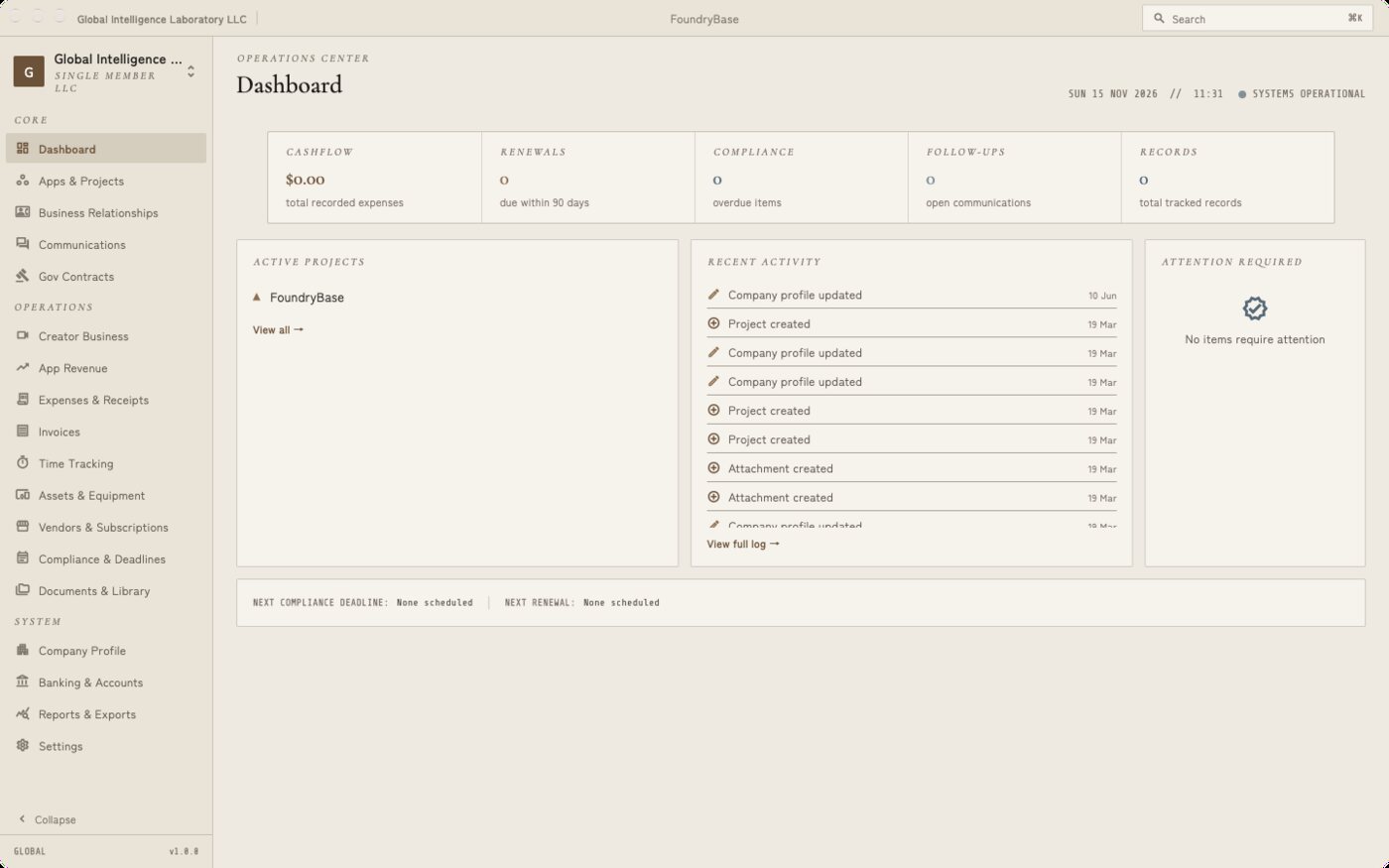
One place for the whole business
Turn on only the modules you need. Everything links together: a project knows its invoices, time, expenses, contacts and documents.
Projects & profitability
Projects broken into features, each with linked time, expenses and invoices, plus a profitability strip that shows what actually makes money.
Invoices & time
Line-item invoices with auto-numbering and PDF export, a live timer with billable rates, and payment status from draft to paid.
Expenses & banking
Import bank statements (OFX, QFX or mapped CSV), categorize transactions, and keep an account register for the business.
Taxes, ready for your CPA
A P&L report, quarterly estimated-tax schedule, tax organizer, trial balance, and a one-click accountant package export. 1099 contractor tracking included.
Compliance deadlines
Annual-report deadlines seeded for all 50 states, BOI and S-Corp election tracking, reminders, and calendar export so nothing lapses.
Government contracts
Track solicitations, bids and awards, and import opportunities directly from SAM.gov with your own API key.
Contacts & communications
A lightweight CRM for clients and vendors, with calls, emails and meetings logged against the projects they relate to.
Documents vault
Attach contracts, receipts and filings to any record, kept alongside the data they belong to.
Creator business
For creators running an LLC: brand deals, payment chasing and gifted-product tracking in their own module.
Your books, on your Mac
FoundryBase stores your business data in a local database on your Mac. There's no FoundryBase account and no FoundryBase server holding your finances. Anything that leaves your Mac does so because you turned it on.
Help shape FoundryBase
We're looking for beta testers. If you'd like early access and a direct line to the people building FoundryBase, email beta@gil.consulting, or use the form if you'd rather not open your email app.
- Tell us which device you'll test on.
- We'll reply with an invite (TestFlight on Apple devices) when a spot opens.
- Test, tell us what breaks, and help decide what ships.
We use your details only to run the beta. See the privacy policy.